
How to Reset your Membership/Subscription Password
How Reset Membershipsubscription Password — shop this BCM resource. Learn more about how reset membershipsubscription password and related bus conversion products.
How to Reset Your Subscription/Membership Password for the Online Magazine
1. Go to the top of the screen and click on the “Log In” tab.

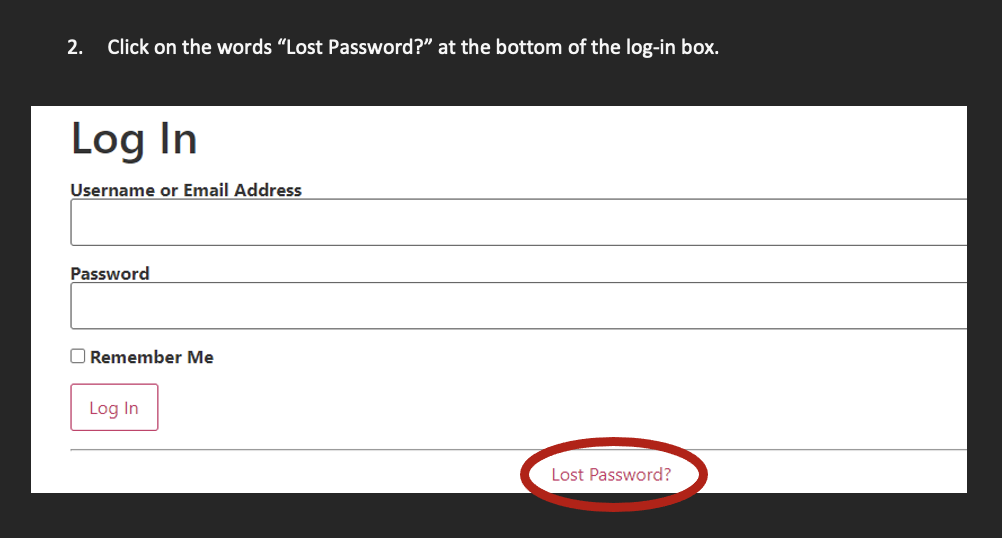
2. Click on the words “Lost Password?” at the bottom of the log-in box.
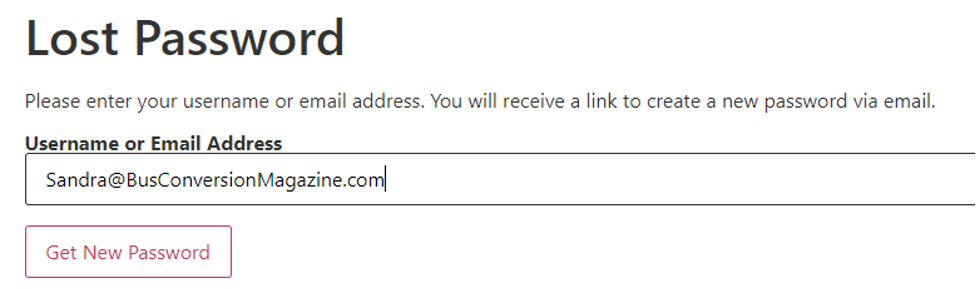
3. Enter your username or email address you used when you subscribed into the field below and click “Get New Password.”
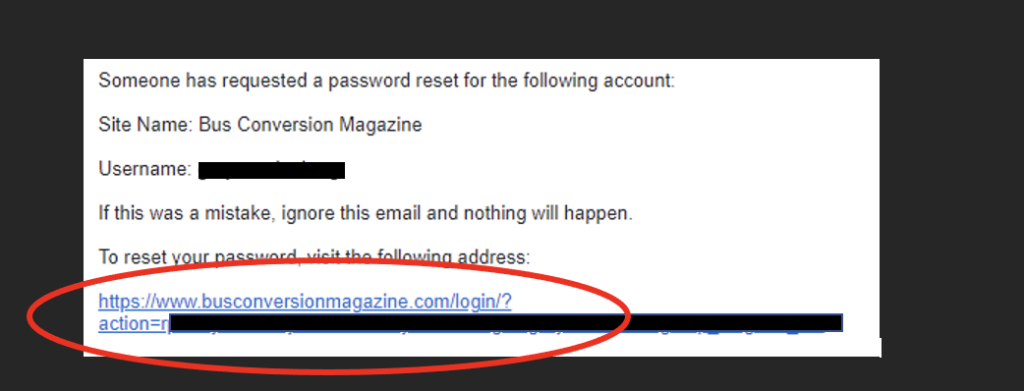
4. You will receive an email with a link to reset your password. Make sure to check your junk mail, as some of our emails get directed there. Click on the link.
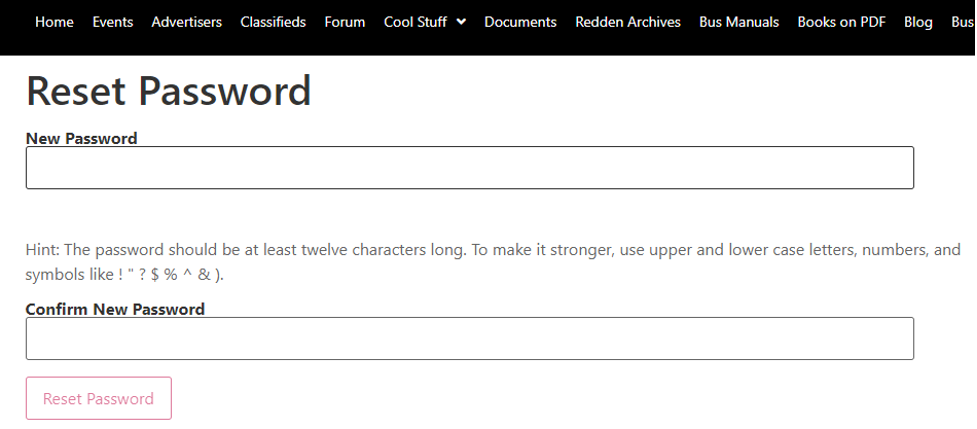
5. Enter into the first field, a new password. Enter the same password in the second box to verify. Then click “Reset Password.”
If you require further assistance, click on the “Contact Us” tab and send us a message, call or text (657) 221-0432.