
How to Subscribe to BCM
BCM Subscription — shop this BCM resource. Learn more about bus conversion magazine subscription and related bus conversion products.
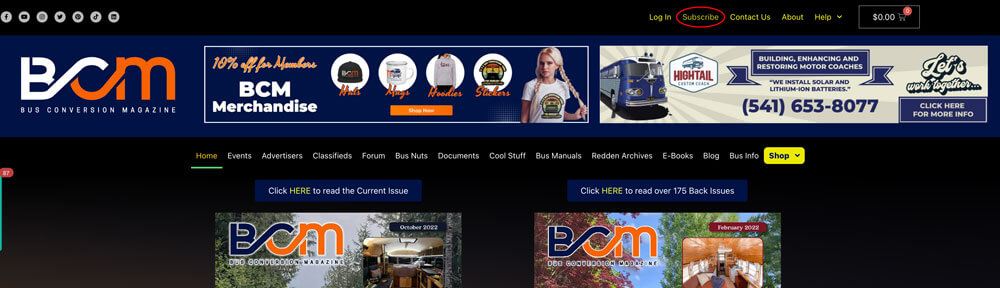
If you are viewing the website on a desktop, click “Subscribe” in the upper right-hand corner.
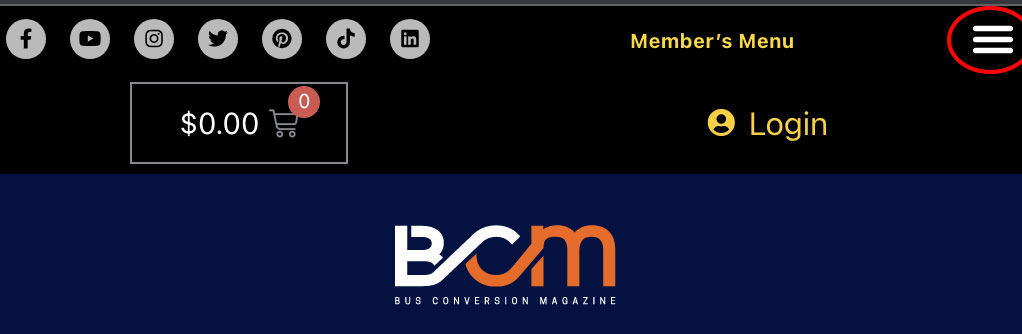
If you are using a mobile device or tablet, choose the “Member’s Menu” in the upper right-hand corner of your screen. A window should pop up and you can choose “Subscribe”.
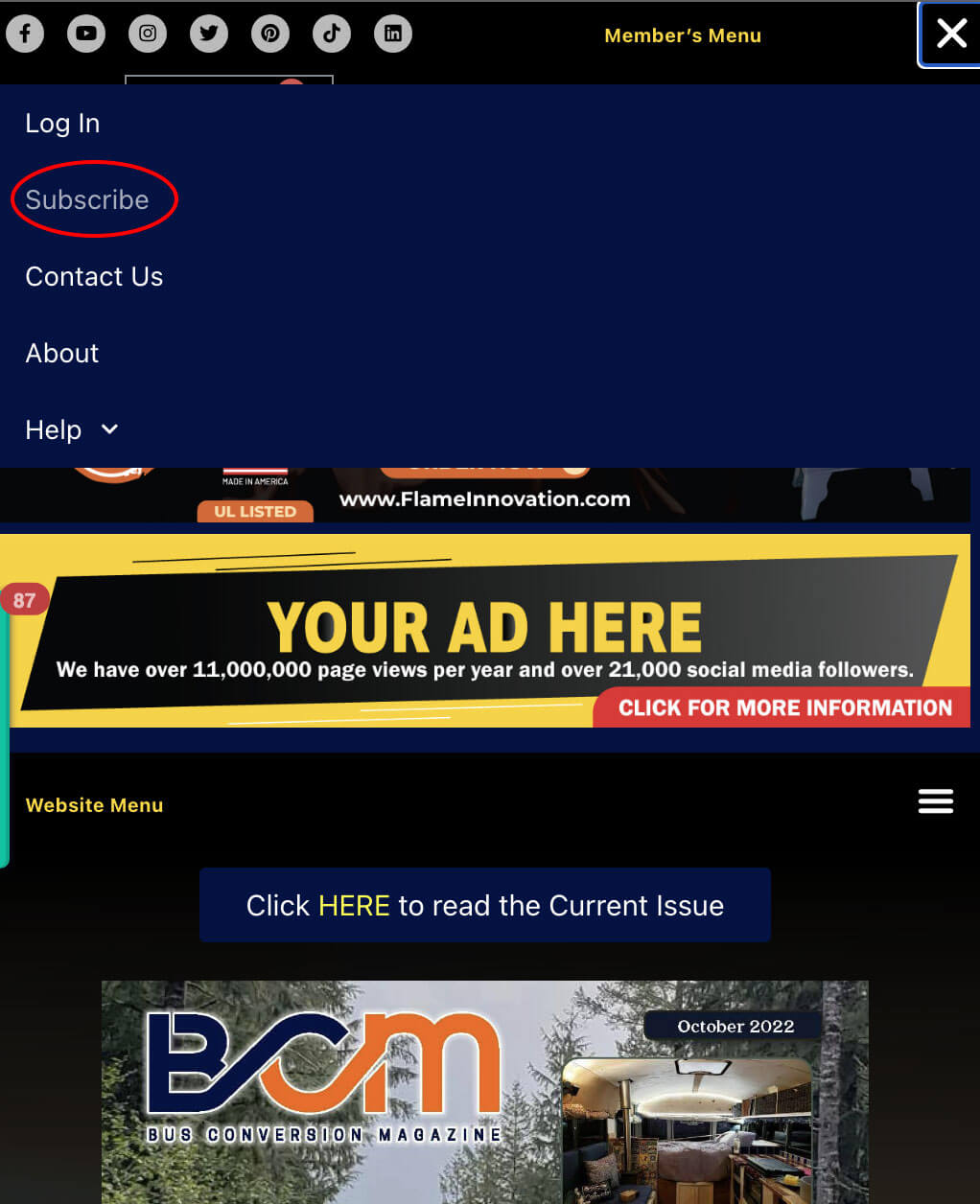
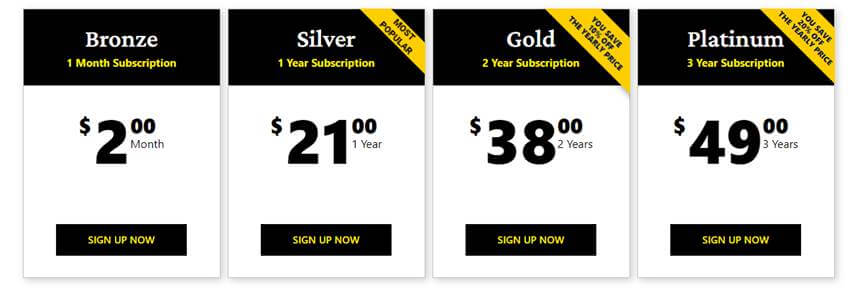
You will then be taken to a screen with our subscription/membership options. Choose an option on this screen.
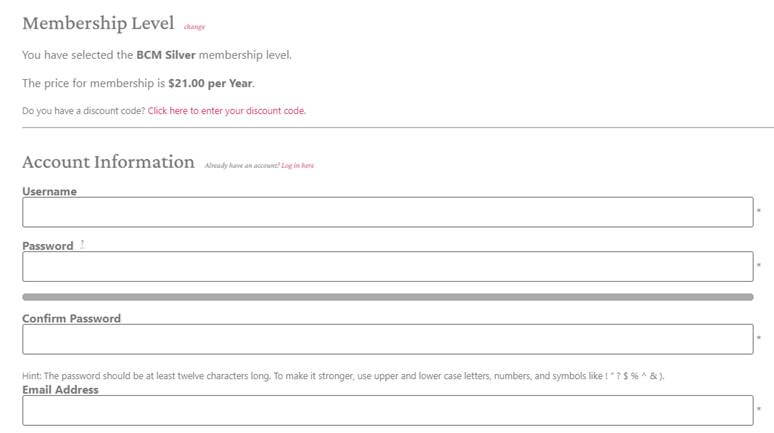
You will then be taken to the checkout screen. Fill in all of the required info and submit your subscription.
You should then be able to sign in with the credentials you set up at checkout, if you are not already signed in. You should be redirected to the “Recent Issues” Page. Here you can choose to read/save the three most recent copies.
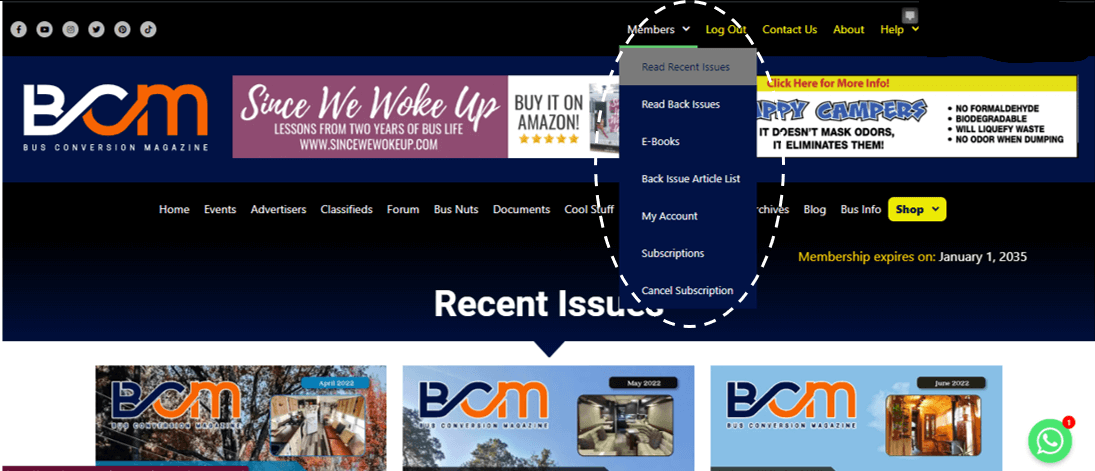
At any time when you are signed in, you can choose the “Members” tab at the top of the screen and access all of your member benefits including online access to over 190 back issues of BCM, FREE online access to all eBooks, and much more.
If you need any assistance, our office will be happy to help.
Contact:
Sandra VanDenburg
Administrative Assistant
BCM
https://www.busconversions.com/
E: Sandra@BusConversionMagazine.com
P: (657) 221-0432